Any fixture
PARs, washes, moving heads, pixel bars and panels, lasers, fog and fans. Search the library, import an OFL or GDTF file, and the engine works out the channels. One clip works on all of them.
DMX lighting · for people who make music
Tracks of clips, launched in scenes on the bar, layered with blend modes like a stack of Photoshop layers. Every light is driven by a formula that knows the beat, the bass and where the fixture hangs.
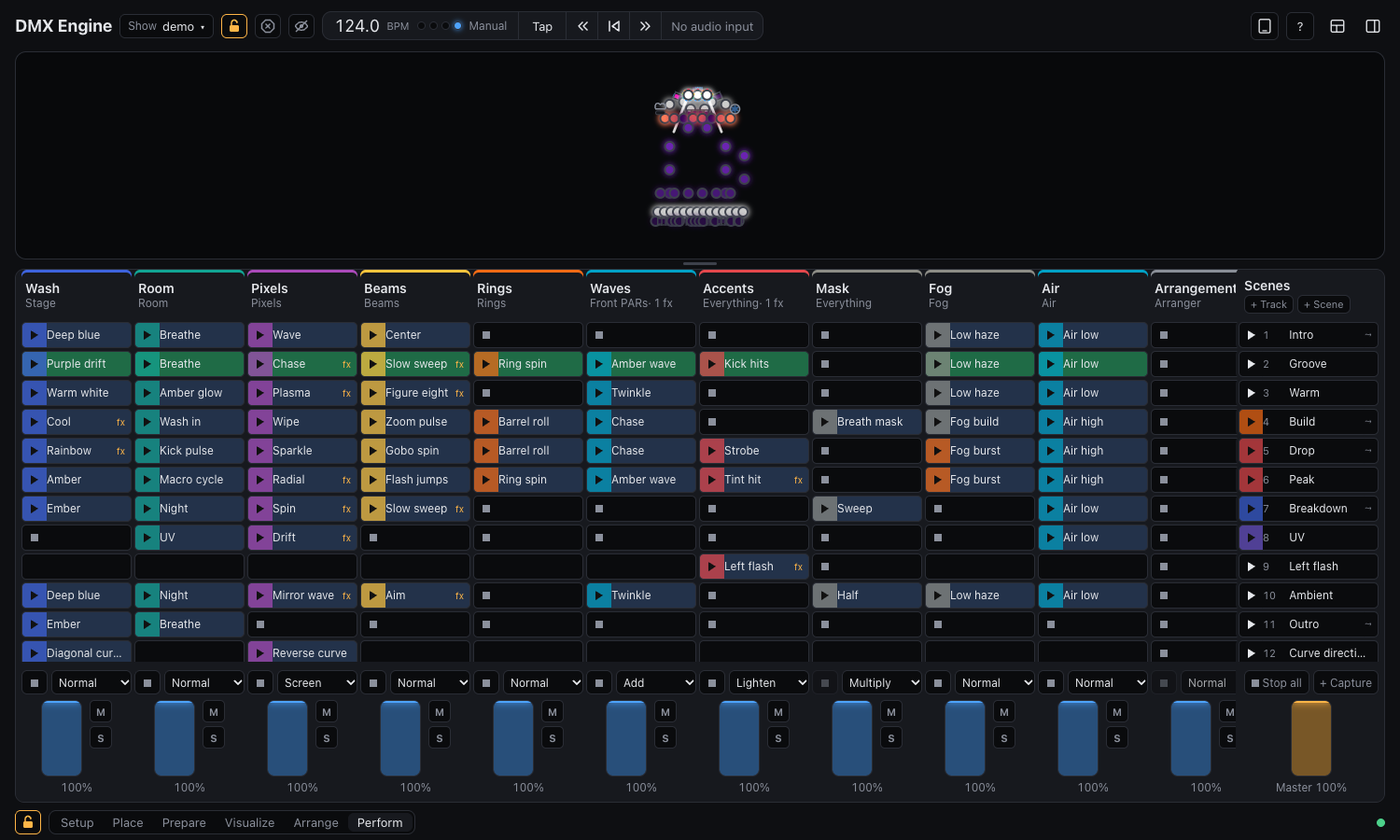
Perform
Each track plays clips on a group of fixtures: the washes, the beams, the pixel bars. A row of clips is a scene, and launching one lands on the next bar, so changes hit with the music instead of a beat late.
Try it
Here are sixteen lights in a row. Pick a clip for each track and a blend mode, and watch them combine the way the engine layers its tracks.
A sketch in your browser at 124 BPM. In the app, x is where each fixture hangs in the room, index its place in the group, and beat follows the music.
Program
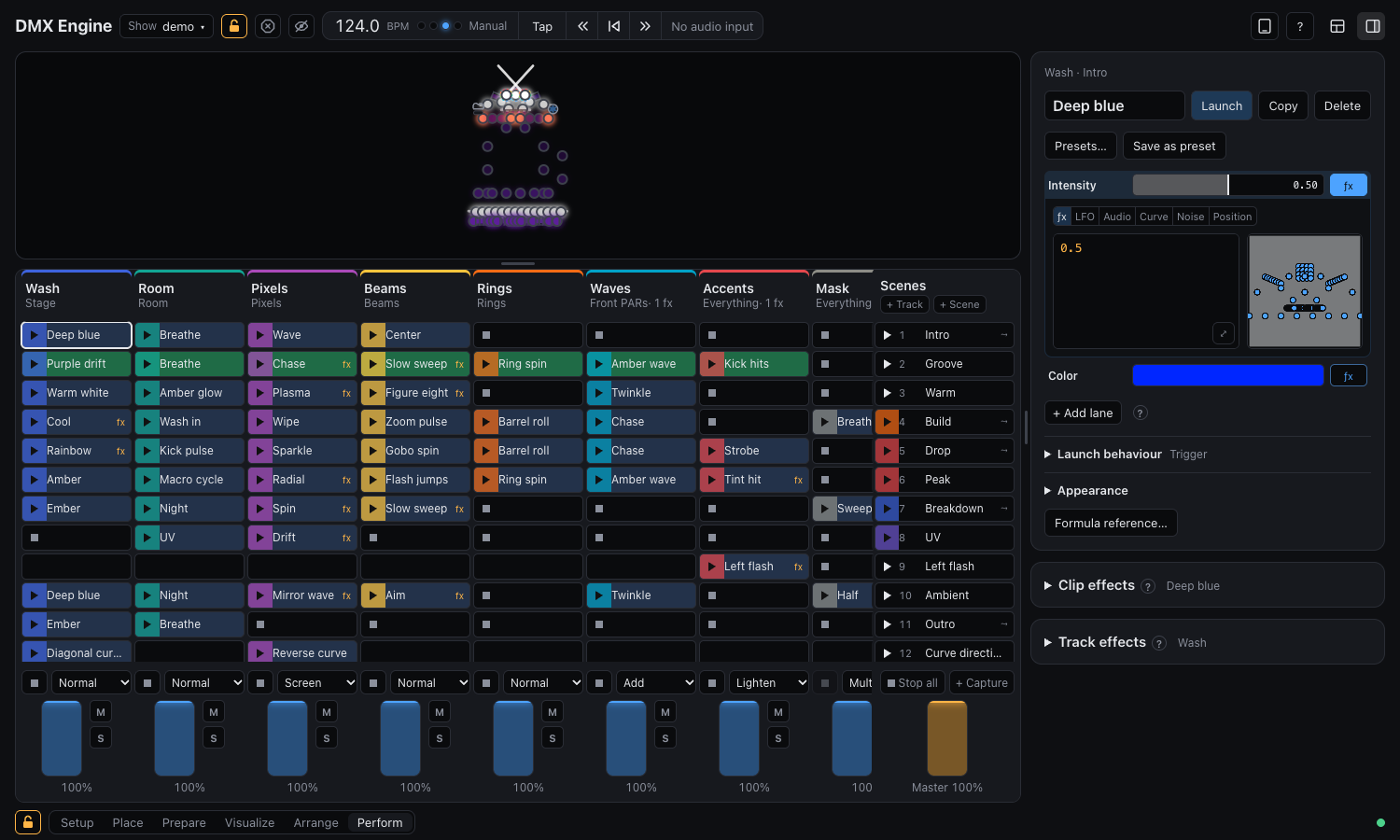
A clip is a set of lanes, one per parameter: intensity, color, pan, tilt, zoom, gobo, strobe. Each lane is a formula that runs for every fixture, every frame. Waves roll across the room because they know where each light hangs.
You don't have to write them. LFO, audio, curve and noise helpers write the formula for you, effects mirror, delay, mask and recolor whole clips, and about a hundred presets get you started, the Looks among them lighting a group in one click.
Listen
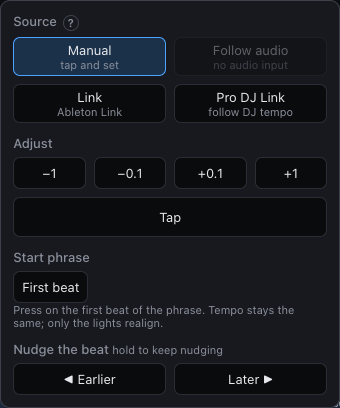
Formulas can read the kick, bass, mids, highs and overall level from the microphone or a line in, measured against the loud parts of the last few minutes so a drop reads full and a breakdown reads low.
Visualize
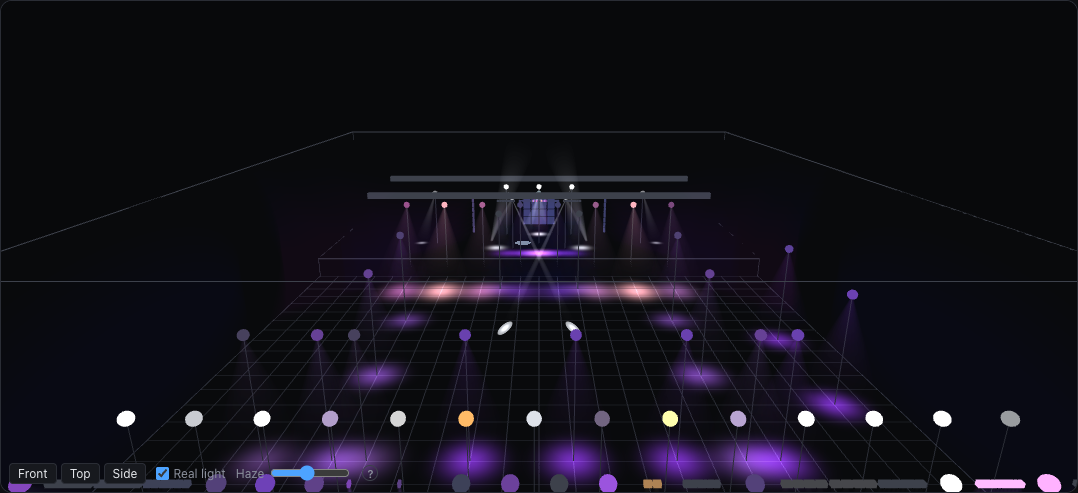
The 3D stage draws your rig as it hangs: beams from each fixture's real position and aim, pools of light on the floor, haze, gobos and prisms, and pixels glowing on their bars. Program a whole show on a laptop on the train, and it's ready when you get to the room.
Arrange
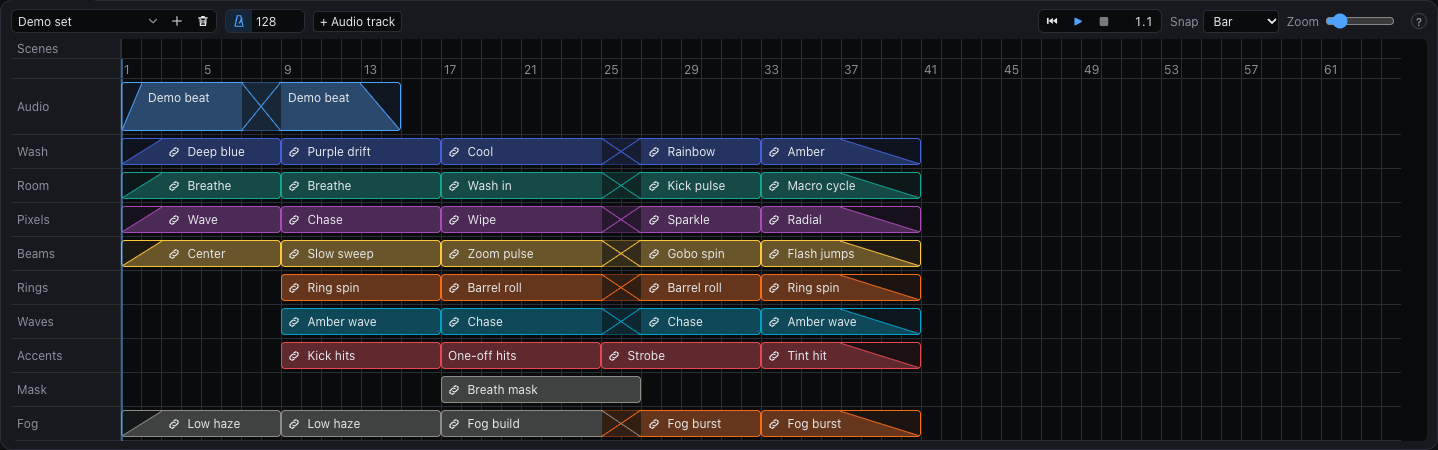
The arranger lays clips out along bars, Ableton style, with crossfades between them and an audio track to draw against. Keep one arrangement per song and play it straight on the lights, or launch clips live over the top.
PARs, washes, moving heads, pixel bars and panels, lasers, fog and fans. Search the library, import an OFL or GDTF file, and the engine works out the channels. One clip works on all of them.
A checklist takes a new show from nothing to light: patch, place, group, add tracks, fill a clip, launch. One click makes a group of each fixture type, another a track for each group.
Prepare the next part of the show while the room sees the current one. Edit and launch in a copy, then take it over, keep just the edits, or throw it away.
Open the remote on any tablet on the network for the launch grid, faders, tempo and blackout. Build your own panels of faders and buttons for the things you touch most.
Split the window into any panels you like, keep several layouts, and spread them over more than one screen. Setup, Place, Perform and the rest come ready.
An edit lock so nothing changes by accident, undo for every edit, a blackout one key away, and lamps and fog handled with care.
Build
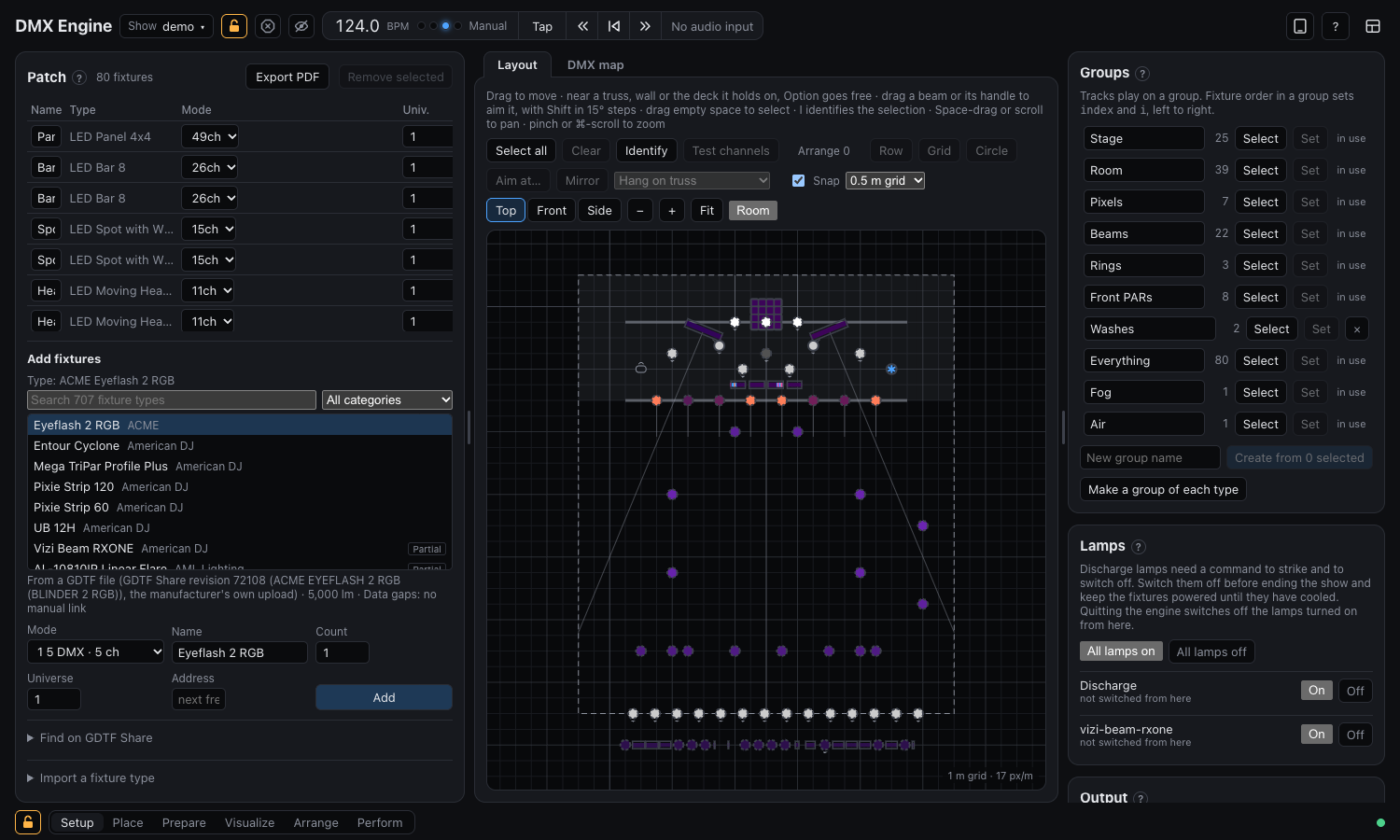
Patch fixtures from the library onto universes, drag them to where they hang on a plan of the room, and hang them on trusses and walls in 3D. The DMX map shows every address at a glance, and test channels check a fixture before the show.
Get it
DMX Engine is being tested on stage. The beta is a desktop app for the Mac, with the engine's browser interface and tablet remote alongside. Leave your email and the download link comes straight to your inbox.